iResizer Content Aware Resizing Software
Intelligent Resizer enables new smart ways of resizing images without deforming or cropping the content. Go to our Tutorials page and see for yourself how easy it is for anyone to do with just a few simple steps. Download our Try-Before-You-Buy demo and use it on your own photos!
Change image aspect rate without distortion
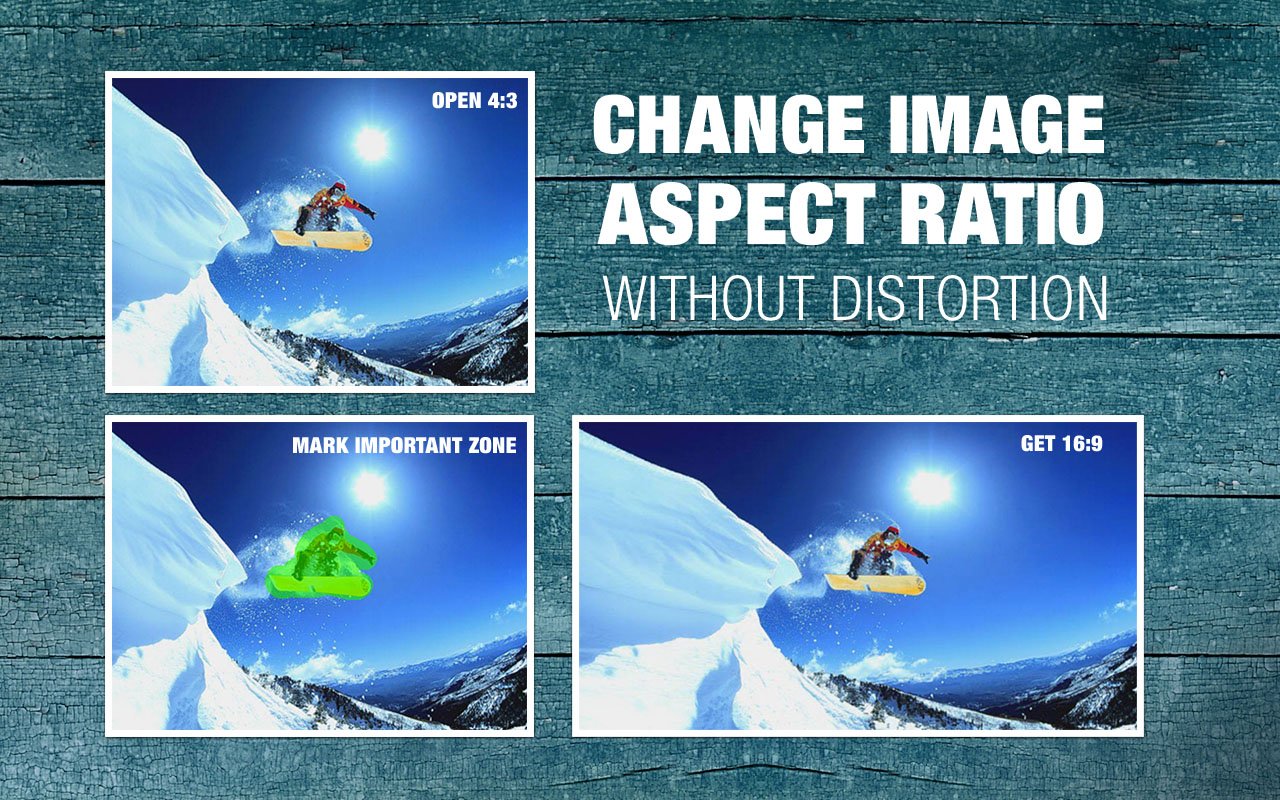
Intelligent Resizer (iResizer) allows you to "fix" the aspect ratio of a photo. Want to change from 4:3 to 16:9? No problem, iResizer folds the image so that it will still look natural and will retain the quality, integrity and spirit of the original! In order to preserve important objects you simply select them and run the resizing, the rest is done automatically.
Change the spacing between main objects
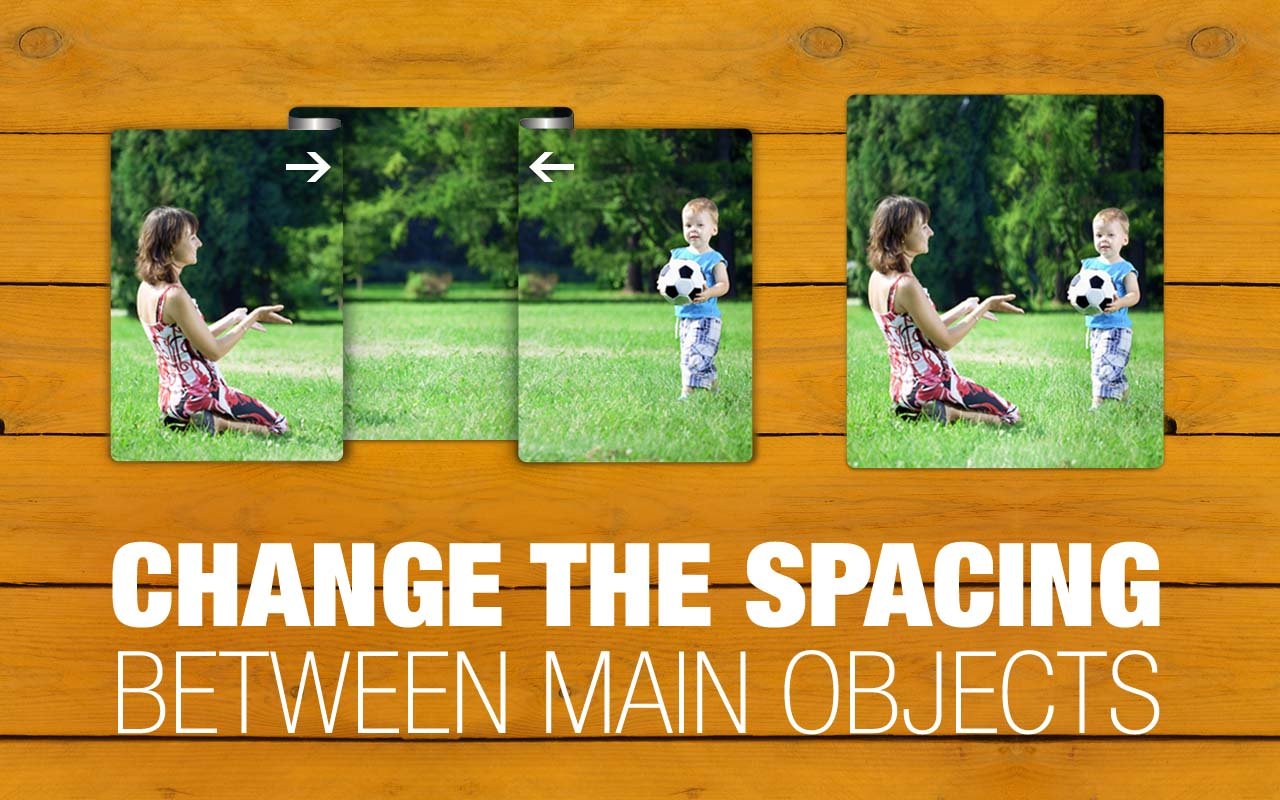
Too bad! The main objects of the scene are separated with a long and boring empty space. If you can change the composition so that both objects would be next to each other - great! But what if you can't? Well, you still can change spacing between objects with iResizer. It gently "folds" the picture making unnecessary spacing go away. You don't need any precise editing; just mark both objects you want to put closer, set the desired resolution and enjoy a spectacular result!
Create square images for Instagram without cropping
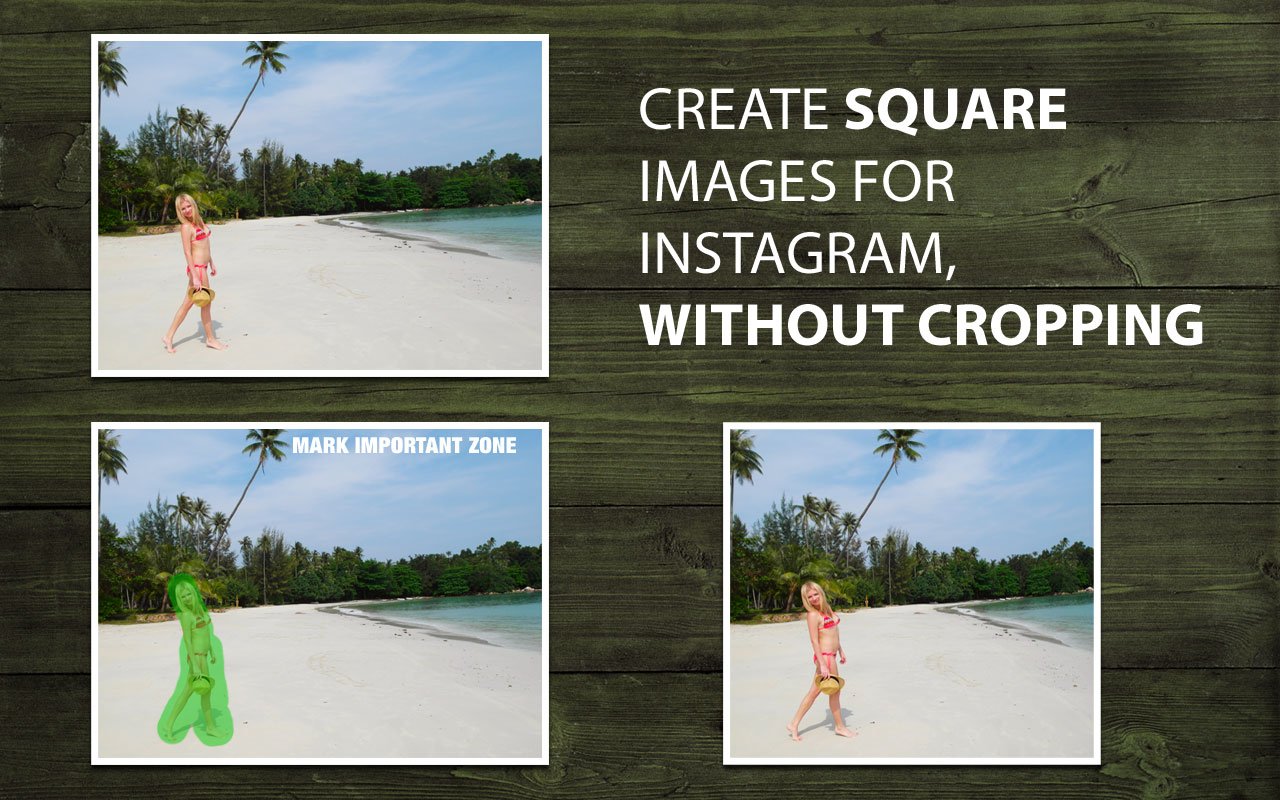
Instagram accepts only square photos, and trying to upload hundreds of 4:3 photos can be a pain. With iResizer you can easily create 1:1 photo without cropping in two steps: first, mark areas on the photo you want to preserve, and run Instagram resizing!
Remove objects from image like you'd fold a paper photo
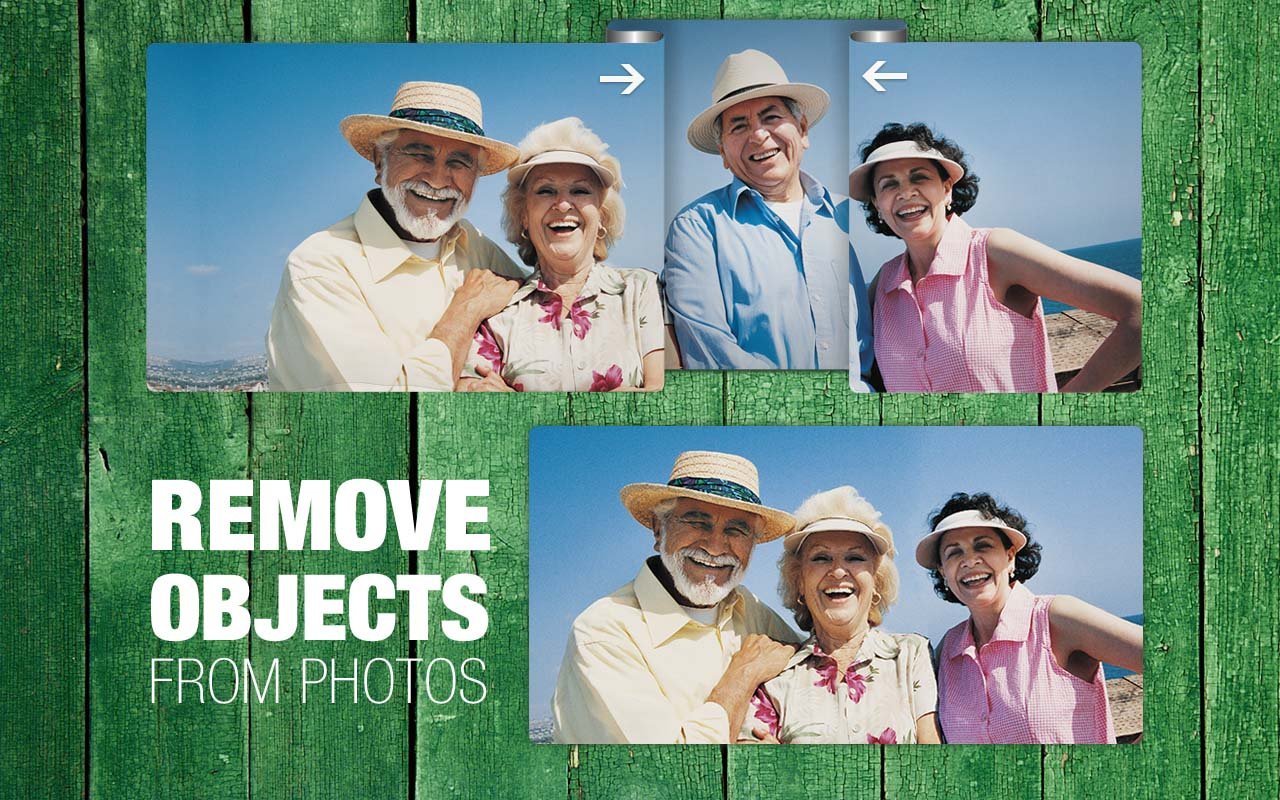
Goofy persons spoiling group portraits, background wreckage and garbage, unwanted landscape objects - make all of them disappear with iResizer. The application concertinas your photo so that undesired objects will be overlapped by other parts of the photo. This is just like you'd fold a paper photo, but with digital images. And thanks to smart algorithms inside, the final resized photo looks completely natural, while the process doesn't require any special skills!
Top Reasons to use iResizer
- Match the aspect ratio of your photos and your prints
- Change the spacing between main objects
- Remove objects from photos
- Change image aspect ratio
- Fit entire photos on Instagram without cropping
- Easy to get use & get started
- Completely non-technical
iResizer scales an image without changing important visual content such as people, buildings, animals, etc. While normal resizing affects all pixels uniformly when scaling an image, iResizer resizing mostly affects pixels in areas that do not have important visual content.
How it works
iResizer content aware image resizing software rescales images non uniformly while preserving the key features of the picture. iResizer avoids distortion of the important parts of the image. It also can be used to remove portion of the image in a consistent way. For example, you can turn a landscape picture into a square picture and close up the space between people in an image if they are a long way apart. It also works in reverse and you can use it to make a photo larger.
You can mark important elements in the image using the green marker. This technique is handy if you have areas of the image that you want to retain at the expense of other areas and it can also be used to protect people in the image. Also you can use the red marker to select which features of the image should be discarded.
Customer Feedback
MacworldiResizer is a handy content-aware scaling tool that makes your images fit particular aspect ratios without cropping.
PeterFantastic App! I changed aspect ratio of my photos to print proportions, and get impressive results.
MathewI am very impressed with this simple and powerfull app. Works as advertised.
WilliamExcellent app to edit my photos, extremely easy in use!
KateWell done photo edit app, important and unimportant options for resizing are good.
AndrewNow I can resize all my 4:3 photos to fit my new 16:9 monitor!
MikeExtremely useful graphic & photo editor
AnneThis worked perfectly to create square photos. I used it to take a book cover graphic that's rectangular, and I needed a square one for ACX audio book format,so I thought for the price this is a way better deal than bothering my graphic designer (and paying them) and after one false try, I got what I needed! Oh wonderful!! There is an informative help file online, (and I'm sure I'm not using even half of the well thought out functionalities of this app) but all you do is click the green button to stroke over the parts of the file you don't want all stretched or distorted. Leave the other background parts alone so the app has room to work, and use the preset sizes—and you are good to go! Awesome little app! Thanks for making it.